10.1s
Remake this scene with your photo.
Remake this video368 credits per remakePlace one adult identity into the foreground of an 8.5-second vertical snow-globe transformation: a real couple selfie becomes a glossy 3D winter globe with falling snow, trees, gifts and a snowman. The source is an external reference, not a RemakeWith result.
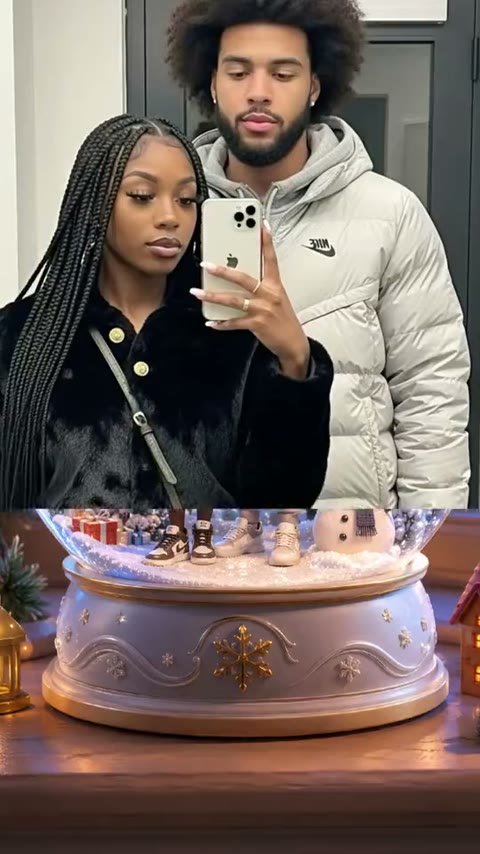
Reference video. Your generated version will vary. Hold your mouse still for 2 seconds to watch the motion.
External source reference credited to @aitrenddrop, supplied through Babydoll Dance / MakeViral. This is not a RemakeWith generated result.
View original source ↗External reference copied at the user's direction on 2026-11-24. Attribution and public access are recorded; a separate media/model-use license has not been established.New here? Create an account. No subscription required.
What your inputs controlYour photo guides identity. A frame from the reference video guides clothing, rendering style and lighting for a shared character reference. That prepared character is reused for the video, and the reference video guides movement. Background and scene details can vary; exact face replacement and frame-by-frame matching are not guaranteed.
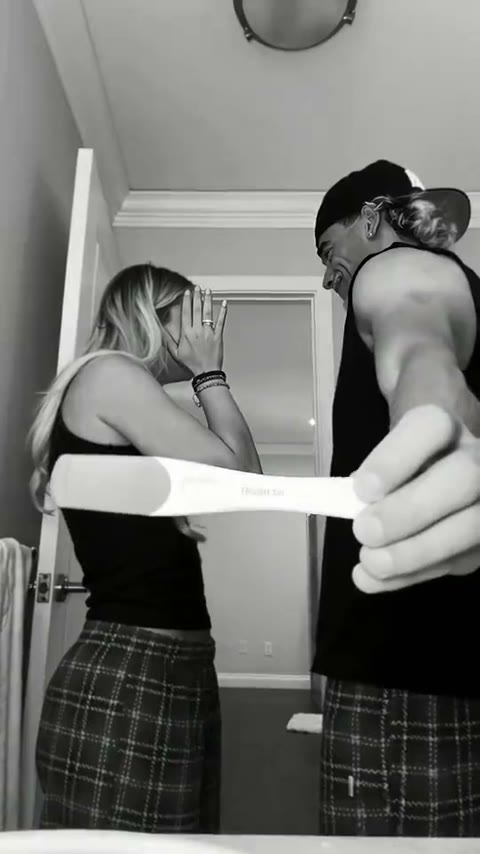
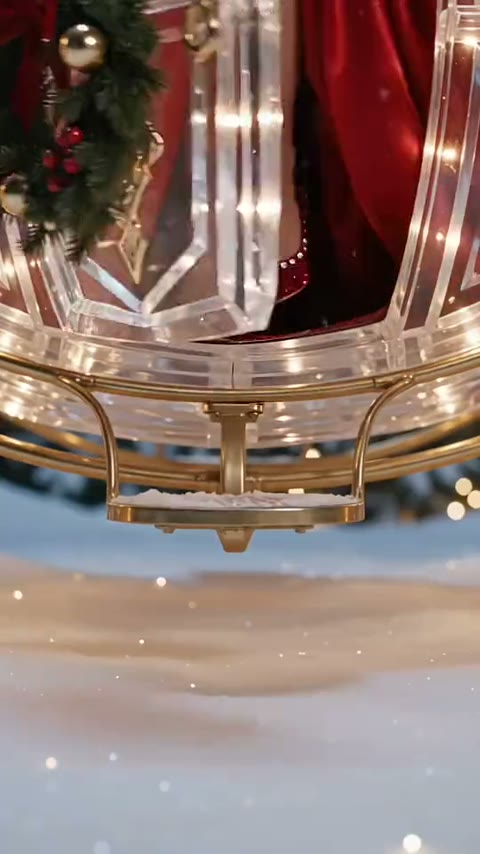
The 8.5-second vertical reference opens on a real couple behind a decorated globe base, then transitions into a glossy 3D winter diorama with falling snow, snow-covered trees, presents and a snowman. This preview is an external reference, not a RemakeWith result.
Upload one clear adult portrait with the face and hairline visible. The photo supplies the foreground woman's identity. The source video supplies the male partner, phone, snow-globe base, transformation timing, winter diorama, lighting and framing. This draft uses one identity slot; it does not offer a pet slot, a two-photo couple mode or a background editor. The result can vary and exact identity continuity is not guaranteed.
Recipe setup: Kling 4.0 video-edit, profile revision 0; 720p; preserve source audio; one uploaded adult photo and the complete 8.5-second source. The validated recipe quote is shown in the creation area. This recipe has not been paid-tested and is not a generated example. Edit the complete 8.5-second vertical source. Replace only the foreground adult woman holding the phone with the uploaded adult identity from @Image1. Preserve the male partner as a distinct unchanged source person and keep the snow-globe base, glass globe, winter trees, presents, snowman, falling snow, warm pedestal lights, cool blue interior, vertical framing and the continuous real-to-cartoon transformation. Keep one coherent uploaded identity through the transition, natural hands and phone before the globe reveal, and the same woman represented inside the finished globe. Do not transfer the uploaded identity to the male partner, add a pet, add another person, add text, a logo or a watermark. Preserve the source audio; its content has not been independently listened to. Changing a copied prompt does not change a saved recipe.
0.00–8.50s: one continuous vertical shot. The real couple appears behind the decorated globe base, then the scene transitions into a centered glass snow globe containing the couple as stylized 3D cartoon adults, snowy trees, presents and a snowman. No cut was detected. The motion interpretation is based on the reviewed start, middle and end frames; exact camera movement is not asserted. An AAC track is present but has not been listened to.
Use a sharp, well-lit photo of the adult identity you want in the foreground. Keep the face and hairline visible and avoid masks or sunglasses.
Open the creation area, sign in, and upload one portrait to the foreground adult role. The male partner remains in the source role.
Review the current quote shown in the creation area, the source assignment and available credit packs before submitting. The displayed quote is the current server-validated estimate.
The source is one continuous 8.5-second edit. Check identity continuity before and after the globe reveal, hands and phone, the partner, the snow, the trees, gifts and snowman.
Use My Remakes to follow an existing task and inspect the complete output before downloading it. A new order costs credits again.
An AAC audio stream is present in the reference, but it has not been listened to, so no music, speech or beat-sync claim is made. The validated recipe preserves source audio for the selected operation. The source contains two adults, but only the foreground woman is an identity slot; the partner stays in the source role. Cartoon rendering, face continuity, hands, props, snow, lighting and timing can vary. A technical generation failure follows the site's credit-refund process; an output that differs from preference is not automatically a technical failure or satisfaction refund. This recipe has not been paid-tested.
The effect links a real tabletop selfie to a finished winter globe. The decorated base, glass enclosure, blue winter light, snow-covered trees, presents and snowman make the reveal read as one keepsake scene. The reference is a visual guide, not proof of a RemakeWith result.
No. This draft uses one foreground adult identity photo. The male partner stays in the source role and is not a second upload slot.
Not in this draft. Supplier pages list other photo variants, but those are reference examples and do not prove that this RemakeWith recipe supports pets or multiple identity uploads.
It provides the couple setup, phone, globe base, transformation timing, winter diorama, lighting, snow, trees, gifts and snowman. Your photo supplies the selected foreground identity.
No. It is the credited external reference video. No paid generation test has been run for this draft.
No exact likeness or frame-by-frame continuity is guaranteed. Review the complete output for identity, hands, partner separation and scene details.
The creation area shows the current server-validated quote after the recipe is ready. Use My Remakes to follow an accepted task and download a completed result.
Selected source page and reference version for the snow-globe transformation.
Original public reference credited with the selected source video.
Supplier reference page used to compare the listed photo/video variants; its examples are not RemakeWith capability evidence.
Return to the creation area after the recipe is validated to check the identity role and current quote.