15s
Create this look with your photo.
Create this image10 credits per remakeBlend a side-profile silhouette with pine trees, mountain mist and restrained photographic grain.
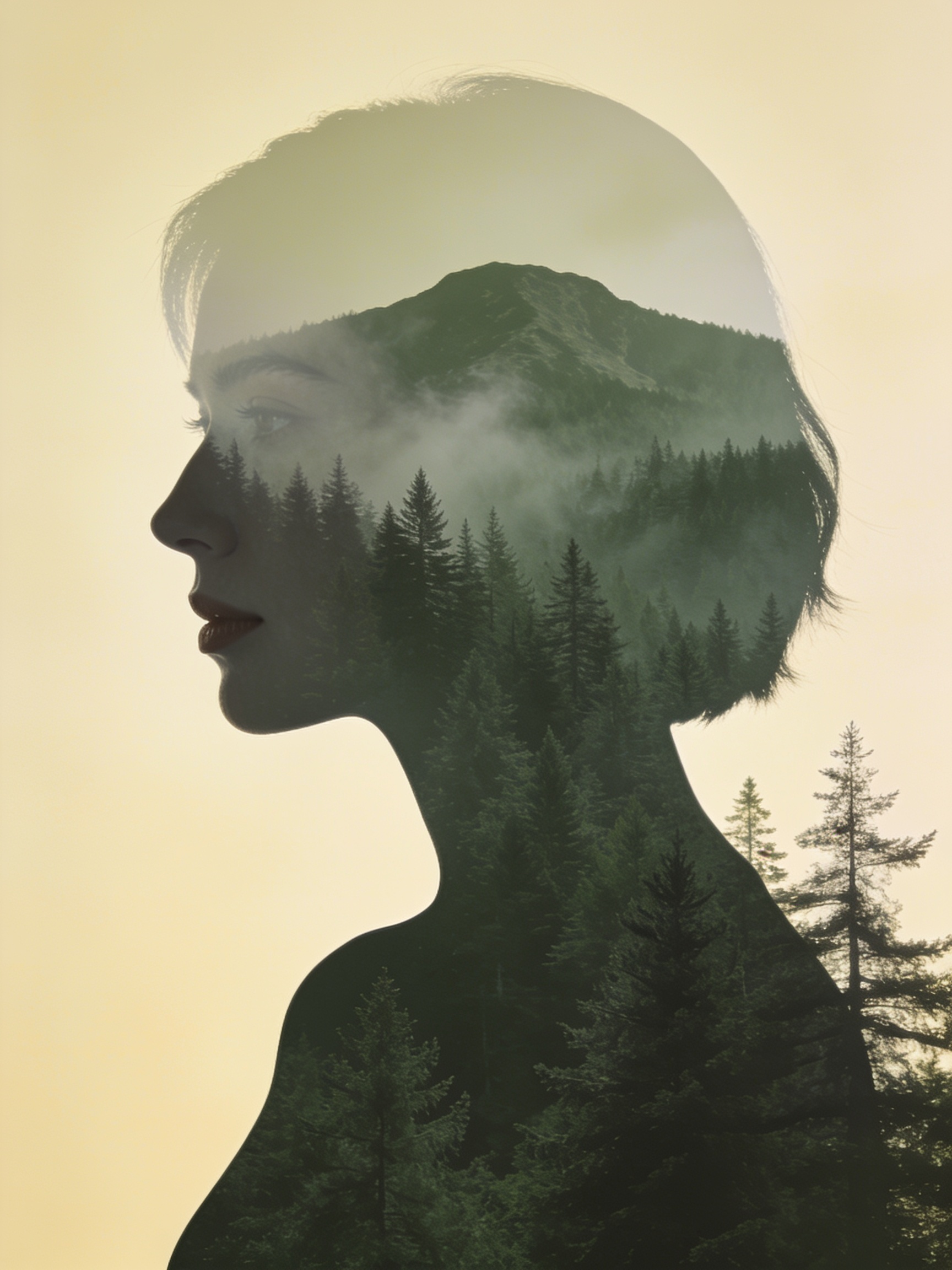
Style reference image. Your generated version will vary.
RemakeWith · AI-generated style reference · Seedream 4.5
Generated for RemakeWith under the site operator's instruction for public template-reference use. Fictional adult subject; no customer photo used. Provider terms apply.New here? Create an account. No subscription required.
What your inputs controlYour portrait supplies the adult character’s identity and recognizable details. The reference guides the art style, material, proportions, outfit and composition.
The side-profile outline acts as a container for forest and mountain layers. Partial facial detail keeps a link to the subject, but the landscape intentionally becomes the main visual material. The main image is a style reference. It is not a verified result from your portrait. This template has not been generation-tested.
A clear side-profile photo is the best match. Keep the nose, chin and neck outline unobstructed against a simple background. Upload one clear photo of one adult, as a JPG or PNG up to 10 MB. You must be 18 or older and have permission to use the photo and likeness. Your portrait supplies the adult character’s identity and recognizable details. The reference guides the art style, material, proportions, outfit and composition. An optional inspiration image replaces the template reference; it does not replace your required portrait.
Method: Seedream 4.5 image editing. Image 1 is the template reference, or your optional inspiration image. Image 2 is your uploaded adult portrait. Output: one 2K image with a 3:4 aspect ratio. Use image 2 as the sole identity reference for the adult subject. Never copy the person or face from image 1. Re-render that same adult using the art style, material, proportions, outfit and composition guided by image 1 and the recipe. Keep recognizable identity cues from image 2 while allowing the requested stylized facial features, body proportions and surface materials. Show one depiction of that adult, not the reference person. Create a photographic double-exposure portrait using a clean side-facing silhouette of the subject. Fill the head and upper torso silhouette with layered pine forest, a low mountain ridge and light mist, while retaining a faint readable eye, nose and lip contour near the front edge. Fade the forest into a warm ivory background and let a few treetops extend slightly beyond the shoulder. Use muted charcoal greens and gentle film grain. Avoid a second face, a forest covering the entire page or sharp cutout halos. Build a coherent finished composition with deliberate light, readable silhouette and clean separation between the subject and background. Keep facial landmarks legible within this treatment rather than adding a different person. Avoid accidental duplicate heads, fused hands, broken edges and unrelated symbols. Do not add a watermark, signature or brand logo. This text describes the template recipe. You can select and copy it. Editing a copied prompt in another tool does not change the recipe run by this page.
A clear side-profile photo is the best match. Keep the nose, chin and neck outline unobstructed against a simple background. Review what the reference controls before choosing your photo.
Sign in with a verified account, upload the adult portrait, and optionally add an inspiration image you have permission to use. Confirm the upload permissions.
The creation area shows the current quote once the required inputs are ready. If you need credits, your uploaded photos stay saved while you purchase a pack. Return here and explicitly start generation.
The task continues if you leave the page. Return here or open My remakes to see progress and download the completed image. Another version starts a separate generation with its own displayed cost.
The landscape intentionally covers part of the portrait, so facial likeness is subtler than in a conventional headshot. The same adult is reinterpreted as an illustration or stylized character. Facial detail, body proportions and likeness can change with the selected style. A technical generation failure returns the job’s credits. A completed image with unwanted creative details is not automatically refunded; creating another version uses credits again. Processing time varies. No success rate or exact completion time has been measured for this template.
A clear side-profile photo is the best match. Keep the nose, chin and neck outline unobstructed against a simple background. Use one adult per upload, keep the face clear, and avoid heavy filters or a group photograph.
The recipe describes the forest scene and uses the template reference for composition. Your required upload is the identity portrait.
The landscape intentionally covers part of the portrait, so facial likeness is subtler than in a conventional headshot. The reference guides an interpretation, and exact identity, style, texture or composition matching is not guaranteed.
Yes. The optional inspiration upload replaces the style reference, while the required portrait remains the identity input. Your portrait supplies the adult character’s identity and recognizable details. The reference guides the art style, material, proportions, outfit and composition. A different reference can change how this effect is interpreted.
The creation area displays the current server-calculated credit quote before you start. Technical failures return the credits used for that job. A completed creative result is not automatically refunded, and another version uses credits again.
Open this template page or My remakes to see progress and download the finished image. Uploads and results remain associated with your account and are not automatically added to the public template gallery.
A public description of the visual effect used for concept research. It is not a RemakeWith generation result.
Return to the photo upload area, check the current credit quote, and start when your inputs are ready.