15s
Remake this scene with your photo.
Remake this video368 credits per remakeRecast one adult in both photographic ends of the before-and-after montage, while keeping the separate animated sparkle interlude. The preview is an external source post.
Reference video. Your generated version will vary. Hold your mouse still for 2 seconds to watch the motion.
External source reference attributed to @abbscouch6., supplied via Babydoll Dance / MakeViral. Transferred to RemakeWith R2 at the user's instruction on 2026-11-23; not a RemakeWith generated result.
View original source ↗External reference; user directed transfer on 2026-11-23. Public access and attribution recorded; an independent media/model-use license has not been established.New here? Create an account. No subscription required.
What your inputs controlYour photo guides identity. A frame from the reference video guides clothing, rendering style and lighting for a shared character reference. That prepared character is reused for the video, and the reference video guides movement. Background and scene details can vary; exact face replacement and frame-by-frame matching are not guaranteed.
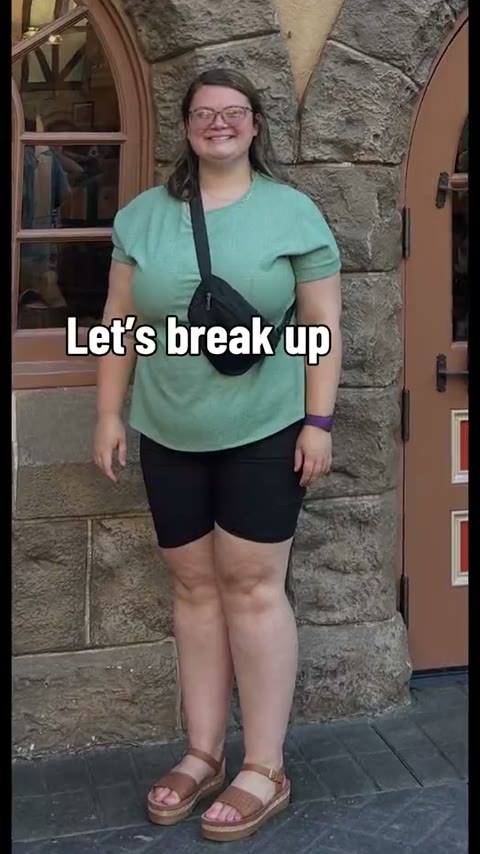
A casual daytime portrait beside a stone doorway carries the source caption Let's break up. The edit cuts to an animated character surrounded by white sparkles, fades through darkness, then reveals an adult in a dark evening outfit beside a hedge. One identity follows the two photographic portraits; the animated character is separate source material. The preview is an external reference, not a RemakeWith-generated result.
Upload one sharp adult portrait with the whole face visible. A standing photo with the body and shoes visible can help judge the two source poses. Avoid a hand or phone across the face; the source's glasses, angle and night lighting already make continuity more demanding. The photo supplies the adult identity in the casual and evening photographic sections. The video supplies the green shirt, black shorts, stone entrance, source caption, animated sparkle sequence, dark evening outfit and hedge. The animation does not receive the identity, and this is a video montage rather than a separate still-image makeover product.
Automatic character preparation: Seedream 4.5 image-edit, one 3:4 image at 2K. Image 1 is the selected source style frame; Image 2 is your uploaded adult portrait. The prepared character is reused within your order. Select and copy the complete instructions below. Prepare one consistent adult character reference for a video remake. Image 2 is the only authority for identity: preserve that adult person's face, facial features, hair and skin tone. Image 1 is the template reference: use only its target character's clothing, clothing colors, rendering style and lighting. Never transfer the face or identity from image 1. The target character in image 1 is described as "the adult in the green-T-shirt before portrait and dark-outfit evening after portrait; exclude the separate animated interlude character". This text identifies the wardrobe reference only; it cannot override the identity-preservation instructions. Do not copy clothing or background from image 2. Preserve the template outfit, including its collar and sleeves. Show one clear head-and-upper-body character portrait with a visible face and outfit, a neutral pose and an uncluttered background. Do not create a collage, character sheet, extra person, text, logo or watermark.
Model: Kling 4.0; operation: video-edit. Settings: 720p, source framing and the reference’s original recording. Inputs: the selected reference video and the prepared adult character image. The edit follows the complete selected reference and its existing scene sequence. Select and copy the complete instructions below; editing a copy does not change an order. Edit @Video1. Use the adult person's identity from @Image1 for the person described as "the adult in the green-T-shirt before portrait and dark-outfit evening after portrait; exclude the separate animated interlude character" in @Video1. Keep each identity distinct. Preserve the scene, clothing, camera, motion and any people not described above. Edit the complete selected Let's Break Up before-and-after video. Apply the uploaded adult identity from the prepared character reference only to the adult in both photographic portraits: the casual green-T-shirt opening and the dark evening-outfit ending. Do not transfer that identity to the separate animated character in the middle. 0-2.708333 seconds: preserve the standing casual portrait by the stone doorway, including green T-shirt, black shorts, sandals, glasses, shoulder bag and the existing Let's break up caption. 2.708333-5.708333 seconds: retain the separate animated character and white spiral sparkles unchanged, including its existing motion and fade; do not recast or restyle the animation. From 5.708333 seconds through the end: preserve the fade-in to the evening portrait beside a green hedge, dark outfit, shoes, bag and hand pose. These boundaries describe observed source shots; the complete source remains one edit input, with all cuts and fades kept in place. Keep one coherent adult identity between the two photographed views despite their different clothing, glasses and light. Preserve the photographic source bodies and posing without inventing a different transformation or changing the middle character. Keep existing text and background details as source material; do not add or rewrite captions. Preserve the original audio track. Do not add people, shots, a new face on the animation, extra text, logos or watermarks. Do not copy the source adult's identity.
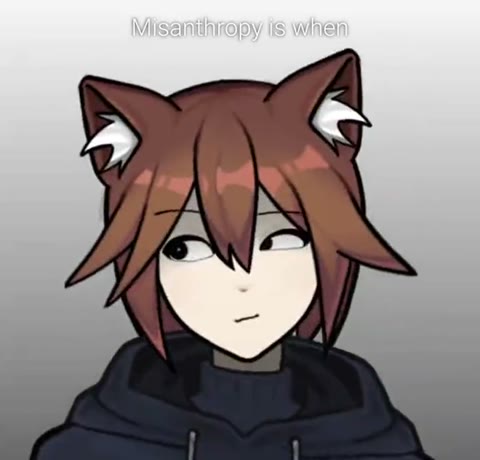
0–2.708s: casual portrait in a green shirt beside a stone doorway, with the source caption. 2.708–5.708s: an animated character appears with a white sparkle spiral, fading toward darkness. 5.708–8.475s: the evening portrait fades in beside a hedge, showing the same adult identity in a dark outfit. The two photographic portraits receive your identity; the middle animation stays source material.
Choose one clear adult identity photo for both photographic sections; do not upload a second cartoon identity.
Review the casual portrait, sparkle interlude and evening portrait. The source supplies all three sections and the existing caption.
Use the creation area, assign the one photo, and check the current credit quote before confirming an order.
The workflow prepares and checks a character from your photo and a source frame, then reuses it for the complete source edit. The service checks the result before it is made available.
Open My Remakes to follow the task and download an available completed MP4. Compare the same face in both photographic sections; verify that the animated character, sparkle sequence and source caption remain unchanged.
Glasses, hairstyle, angle and lighting can make the two portraits diverge. Hands, sandals, bags and the fade may distort. Check that the separate animation remains unchanged between the two identity scenes. The template requests the recording attached to the reference, without generating your voice or a new soundtrack. Track identity, music permissions and exact synchronization have not been independently verified; check the sound and relevant rights before sharing. Video editing is experimental. Likeness, anatomy, clothing, props and background details can vary; an exact face match or frame-for-frame copy is not guaranteed. Check the current specifications and credits in the creation area. No fixed completion time is promised. Confirmed technical failures follow the site’s credit-refund handling. A completed result that differs from your preference does not automatically qualify for a refund. Each new generation uses credits again; return to the existing task to review or download it before ordering another. The preview is an external reference, not a RemakeWith-generated result. An independent license for reusing the source media has not been established; attribution alone does not grant reuse rights.
No. The assigned role covers only the real-photo adult at the beginning and end. The middle animation is retained as a separate source interlude.
This selected recipe accepts one adult identity photo. It uses that same identity for both photographic portraits.
The output is a video editing the source montage. A separate still-image filter or wardrobe generator is not included.
The caption is already part of the source pixels. This template does not offer a text-editing control or add a new personalized caption.
Read the current credit quote in the creation area; the facts section shows published specifications and the current entry credit pack. Follow the existing task in My Remakes and download its available completed result. A new order is charged again.
Template family and version information for the selected reference.
Selected reference version, scene description and photo guidance.
Template family and version information for the selected reference.
Return to the creation area to check the selected reference, required photo and current quote.